AI porn prompts: better NSFW images in fewer tries
Start with the annotated example. The guide then explains each part, revisions and the limits to keep in mind.
See the structure before the explanation
1a woman in her thirties, short red hair, freckles, a knowing smile, 2black silk robe, 3leaning in a hotel doorway, 4at night, warm lamp light, 5full-length photo, soft film grain
- WhoBuild, face, expression, adult age
- WearingOutfit, fabric, colour
- DoingPose and action
- WhereSetting and light
- How it's shotMedium, framing, finish
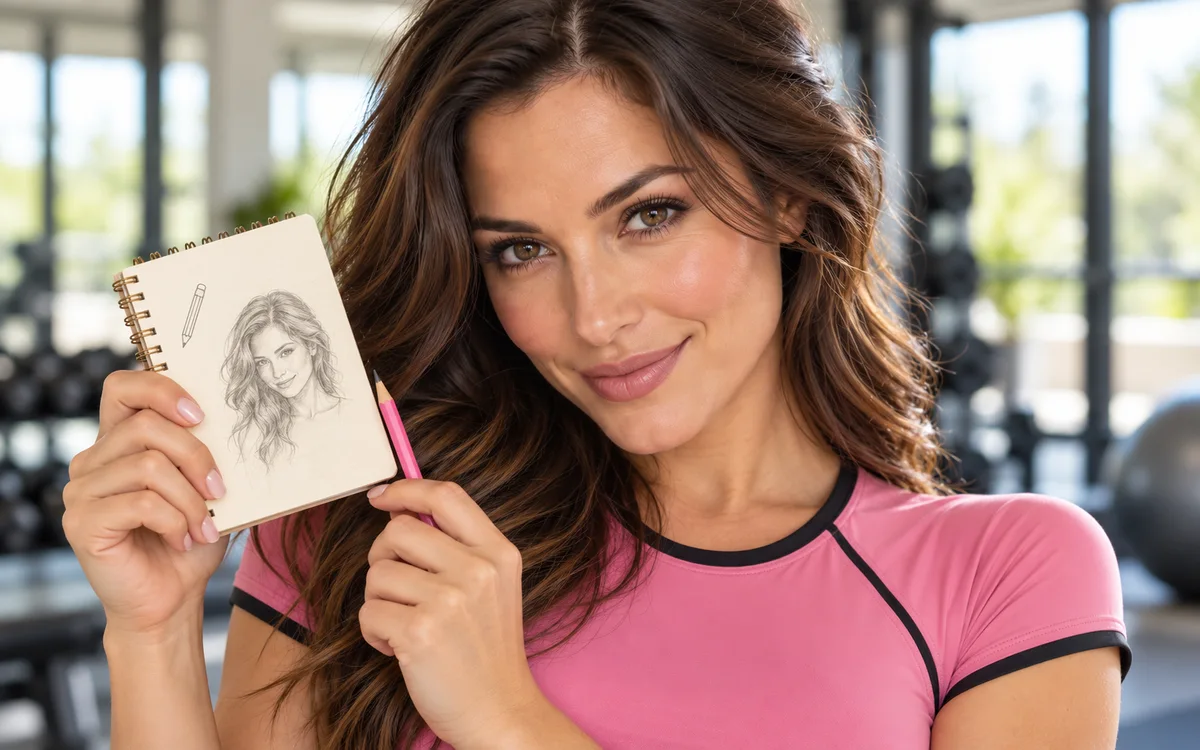
An AI porn prompt, like any NSFW AI prompt, works better when it gives the generator a clear subject, scene and style. Type 'woman in a room' and the model has to invent almost everything; a few concrete details give you a result you can judge and improve. Each retry may cost credits, so begin with a prompt you can revise deliberately.
The good news is that prompt writing isn't a dark art. It's mostly being specific, in a sensible order, and it works the same way on any NSFW AI generator. Compare the AI image generator directory, the recorded workflow for Promptchan, and the credit offers for CreamPorn and SweetPorn. Check the output of the model and plan you intend to use.
Start with a simple structure
Most good prompts cover the same five things, roughly in this order:
- Who. Build, hair, face, expression, and an adult age range, always.
- Wearing. Outfit, fabric, colour. Or the lack of one, if the site allows it.
- Doing. Pose and action. Standing, lying back, looking over a shoulder.
- Where. The setting and the light. A hotel room at night, a sunny balcony, neon through the blinds.
- How it's shot. Photo or illustration, close-up or full body, film grain or glossy.
Put it together and you get something like this:
Return to the opening comparison or tool.
Nothing in there is clever. It's just complete, and complete beats clever every time.
Three sexy AI prompts to adapt
These NSFW AI image prompts keep the characters fictional and clearly adult. They describe composition and mood without relying on a string of vague adjectives. Check your chosen service's content rules before adding anything more explicit.
- Natural portrait: "A fictional woman in her thirties, short red hair and freckles, leaning against a hotel doorway, black silk robe, warm bedside light, waist-up photograph, soft film grain."
- Illustrated scene: "A fictional adult couple in their thirties, talking beside a rain-streaked apartment window at night, elegant evening clothes, blue and amber lighting, anime illustration, medium shot."
- Same character, new setting: "The same fictional woman in her thirties with short red hair and freckles, standing on a balcony at sunset, black silk robe, warm rim light, waist-up photograph, soft film grain."
The third prompt changes the place and light while keeping the character description. If the face drifts, return to the last image you liked and edit one detail at a time. The keeping the same character section below has more ways to keep her face. For a public prompt critique, share the text and an image you have permission to post; our forum and community guide explains how to ask for useful feedback.
Specific beats long
A longer prompt isn't a better prompt. 'Beautiful, gorgeous, stunning woman' tells the generator nothing it can draw. 'Freckles, a gap in her front teeth, laugh lines' tells it three things. Swap adjectives for details you could point at. Style words work the same way:
Not sure which style you're after? Our AI porn art styles guide slides through six of them, from photoreal to comic, with the words that steer each.
Change one thing at a time
When a picture is nearly right, resist the urge to rewrite the whole prompt. Change one detail, generate again, and see what moved. Change five things at once and you'll never know which one fixed it, or which one broke it.
Save the version you liked and its settings before another attempt. CreamPorn describes a private-by-default gallery; check the current visibility controls on the service you choose.
Fix it, don't reroll it
Generators still struggle with hands, and sometimes with faces in the background. Rerolling the whole image and hoping for luck burns credits fast. Editing tools fix one part and leave the rest alone.
- Promptchan has a Tweak editor for refining a picture you've already made.
If your site has an editor, use it before you hit generate again.
Keeping the same character
One great image is easy. The same woman in ten different scenes is the hard part, because generators love to quietly 'improve' a face each time, and a character's name alone tells the model nothing about what face to draw. Keeping her is a small routine, not a magic phrase.
Write her down once
Keep a short character sheet of the details you could point to in a picture, and reuse the wording exactly every time. Put the scene in a separate sentence, so a change to the setting never touches the face. Save the model, style, aspect ratio and seed too, if your tool shows them.
- Age
- Fictional woman in her thirties
- Hair
- Short auburn curls
- Face
- Square jaw
- Mark
- Freckles across the nose
- Eyes
- Dark brown
- Settings
- Same model, style, aspect ratio and seed
Distinctive marks do more work than adjectives: a tattoo, a scar or a signature hairstyle gives the model something to hold on to, and generic faces drift more.
Build from one picture you like
Save the first result that looks right, with its prompt, and make the next picture as a variation or edit of it rather than from scratch. Promptchan lets you clone, remix and Tweak a creation instead of rerolling it. Reference tools vary a lot between sites, so check the model and plan you're using actually support the method before buying credits. On companion apps the site holds the face for you, and our listings note it staying consistent on Candy AI, MyLovely AI, Dream Companion and AIMOUR; test three or four requests before you rely on it.
Change one thing per round
Change the background first, then the outfit, then the pose last, because profiles and dramatic light make faces hardest to compare. Then put three or four results side by side at full size and check eye spacing, nose, jaw, hairline and the distinctive mark; a thumbnail hides drift.
| If this drifts | Try this next |
|---|---|
| Face | Go back to the approved image and keep the face wording unchanged |
| Hair or outfit | Edit that area instead of regenerating the whole picture |
| Body proportions | Use a simpler pose and the same framing |
| Art style | Keep the same model and style settings until she's stable |
Keep the source image, prompt, settings and the edit that worked together. That record saves credits when you come back to her weeks later or try another tool, and it's the still to animate once her look is settled.
NSFW prompt generator: tap one together
Staring at an empty prompt box is the worst part. So skip the typing: tap one option in each row and the prompt writes itself, in the five-part order above, worded the way image models understand. Copy it into any generator with a prompt box, and paste the negative prompt into the "negative" or "avoid" box if your tool has one. The first row sets her age, because a model left to guess tends to guess young, and that's the first thing every generator's filter checks.
photo of a fictional adult woman, 1in her late twenties, 2short red hair, freckles, green eyes, 3black silk robe, loosely tied, 4leaning in a doorway, looking back over her shoulder, 5hotel room at night, warm lamp light, 635mm film photo, soft grain, shallow depth of field
teen, childlike, youthful face, extra fingers, distorted hands, extra limbs, blurry, text, watermark, celebrity likeness
Building him instead? Our gay AI porn generator guide has a builder for men.
The "Shot" row matters more than people expect: "amateur phone photo" and "studio photo" can make the same woman look like two different worlds. Anime models respond to different words. They know styles, line work and shading, and they're trained heavily on tags, so this builder writes tags, with adult proportions in every option because anime is where filters are strictest.
anime illustration of a fictional adult woman, adult proportions, 1clean anime line art, cel shading, 2elf woman, long silver hair, pointed ears, 3loose silk kimono, 4looking back over her shoulder, blushing, 5Japanese bedroom, paper screens, morning light
loli, child, childlike body, small body, school uniform, extra fingers, bad anatomy, text, watermark
Leave "school uniform" in the negative prompt even if you didn't ask for one. Some anime models add it on their own, and it can get a picture blocked.
Video prompts work differently. You've already got the picture, so the prompt only describes movement and the camera. Describe her again and the model may try to redraw her, and that's when faces melt.
1she slowly turns her head toward the camera and smiles, 2static camera, locked off, 3slow, smooth motion, 4keep her face and outfit unchanged
morphing, face changing, extra limbs, flicker, warped hands, sudden cuts, text
One movement and one camera move per clip. The full method is in our image-to-video guide.
The negative prompts above do two jobs. They steer away from the usual mistakes, extra fingers and stray text, and they hold the line on age: "teen", "childlike" and "loli" sit in there on purpose, which means fewer pictures blocked by the site's own filter and fewer wasted credits. No negative box on your tool? Leave it out rather than pasting it into the main prompt, because some models read every word as something to include.
Tapping isn't the only shortcut. CreatePorn builds images from tags, PornJoy uses menus for hair, outfit and location, and Igenfun skips typing entirely with one-tap presets. You trade some control for speed, which is a fair deal when you're starting out.
Borrow from people who've cracked it
The quickest way to learn is to look at what already works. Promptchan's public gallery lets you clone other people's prompts, and Sexy.ai has millions of community images you can browse for free. Find a picture you like, read the prompt behind it, and tweak from there.
Turn an image into a prompt
No prompt attached to a picture you like? Work backwards. Describe the image in the same five parts (who, wearing, doing, where, how it's shot), then generate from that description and compare. Some image tools and captioning models will draft the description for you, and it's a quick way to learn the words a model responds to. Edit the draft before you use it: automatic captions tend to be generic about exactly the details you care about.
Only do this with AI-generated images of fictional adults. Never run a photo of a real person through it to recreate them; that's real-person likeness, and our listing policy excludes it.
Spend your credits wisely
- Learn on the free allowance. SweetPorn gives out credits every day and Promptchan has free daily Gems.
- Draft first, upscale later. There's no point paying for HD on a picture you're going to bin.
- Budget with packs. One-time credit packs, like CreamPorn's, are easier to keep track of than a subscription you forget you have.
The rules that don't bend
Every character you make is an adult. Do not use a real, identifiable person's likeness without permission, whether that's a celebrity, an ex or someone from the office. Our listing policy excludes real-person likeness abuse.
Keep it fictional and keep it grown-up, and there's still more than enough room to play. For more on what we will and won't list, see our listing policy. If you want to animate a finished still, continue with our image-to-video guide.
Questions people ask
What are good NSFW AI prompts?
Good NSFW prompts cover who (with an adult age), what they're wearing, what they're doing, where, and how it's shot, in concrete words. 'Freckles, laugh lines, black silk robe, warm lamp light' beats 'beautiful, gorgeous, stunning'.
How long should an AI porn prompt be?
Long enough to cover the five parts and no longer. Piling on adjectives doesn't help, and repeating words can distort the image. Specific details matter more than length.
Is there a free NSFW prompt generator?
Yes, on this page. The three builders (realistic photo, anime and hentai, and image-to-video) are free, need no sign-up and run in your browser. Copy the finished prompt into whichever generator you use; that site's own credits apply there.
Can I get an NSFW prompt from an image?
Yes, by describing it in five parts: who, wearing, doing, where and how it's shot. Some tools draft a caption for you, but edit it before use. Only do this with AI-generated images of fictional adults, never photos of real people.
What is a negative prompt?
A list of things you want kept out of the image, like extra fingers, text or watermarks. Paste it into the negative or avoid box if your generator has one; if it doesn't, leave it out rather than adding it to the main prompt.
Why does my prompt get blocked?
Usually because the generator thinks a character might look underage, or the prompt names a real person. State an adult age range, keep 'teen' and 'childlike' in the negative prompt, and never use a real person's name or photo.
Why does my NSFW AI image keep coming out wrong?
Usually a vague prompt or too many changes at once. Change one detail per attempt, and use an editing tool to fix hands or faces instead of rerolling the whole image.